themed video meetups8 conversations.



 Networking, investor and themed events — online and in person
8 conversations.
1 evening.
0 small talk.
Buy a ticket to a themed evening and talk for five minutes with each person — face to face, over video. Networking, investors, friends or themed meetups — you pick the kind of evening.
How it works
One ticket, a whole evening of talking
01
Pick an evening
Choose an event in your city or online. You buy the ticket from its organizer. Online events start when their minimum participation requirements are met; otherwise they may be postponed or cancelled under the event terms.
02
Talk for 5 minutes each
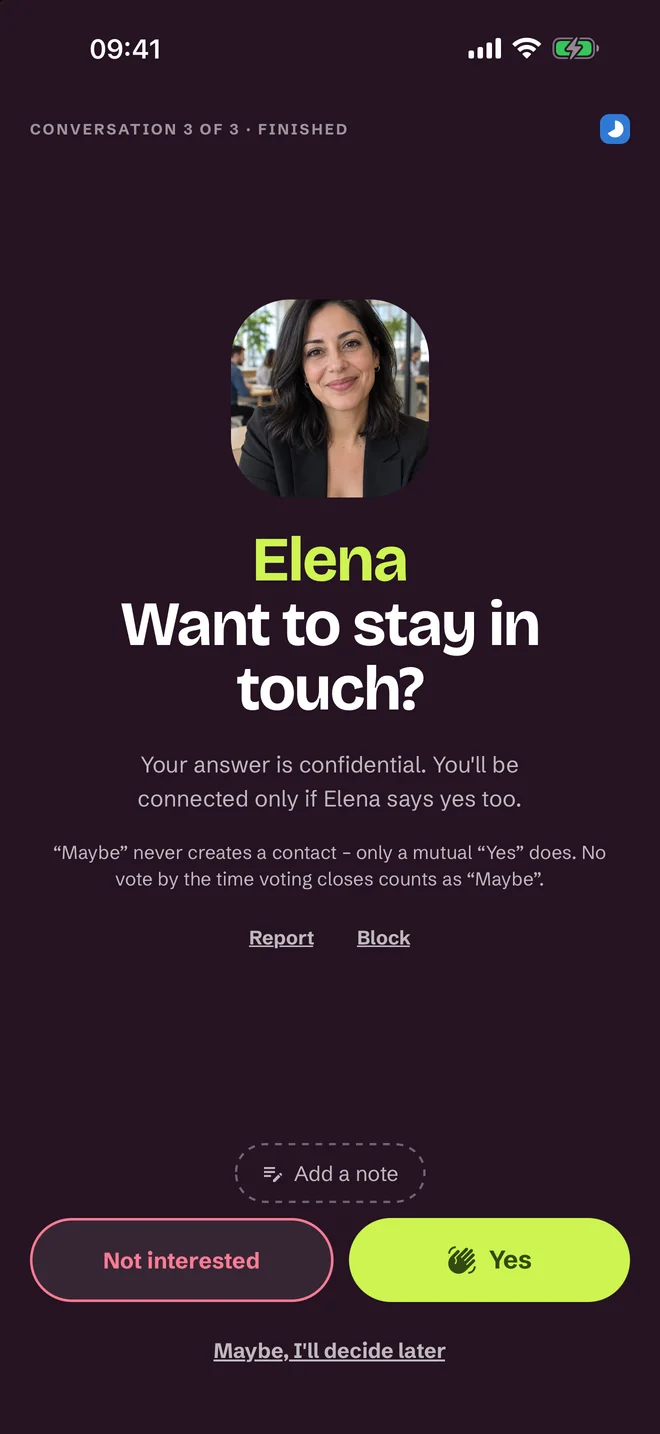
Your evening is a series of one-on-one conversations, usually about five minutes each. After each you rate: yes, maybe, no. Nobody sees your answers.
03
Connections right after the event
Mutual “yes” answers become contacts — online right after the event, in person once the rating window closes. Chat opens only after a mutual “yes” — no queue of strangers.
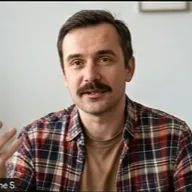
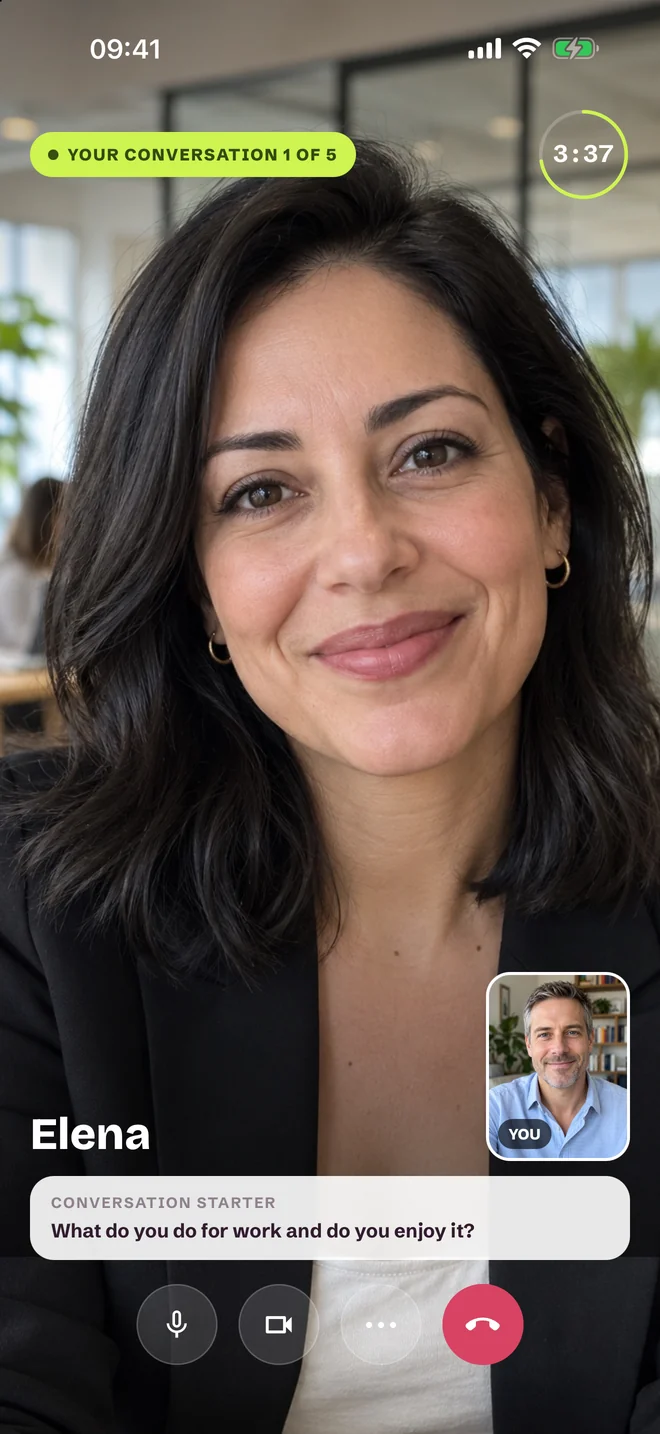
This is what 5 minutes looks like
A real conversation, not a profile to judge
Five minutes is enough to feel whether you click — and too short for it to get awkward.
a
The timer works in your favour
The end of a conversation is never your fault. No more “I have to run”.
b
Icebreakers to start
A conversation prompt may be displayed during your round to help you get started.
c
Meet face to face
Talk live over video. Profile badges describe qualifying participation, not a guarantee of identity.
Why SprintRounds
No more random networking. One hour truly live beats a month of emails and chats.
5 minthat's how long one conversation lasts — enough to know
instantnew contacts — a mutual “yes” opens the chat that same evening
livereal-time conversations instead of endless profile browsing
In the app
The whole evening in one app
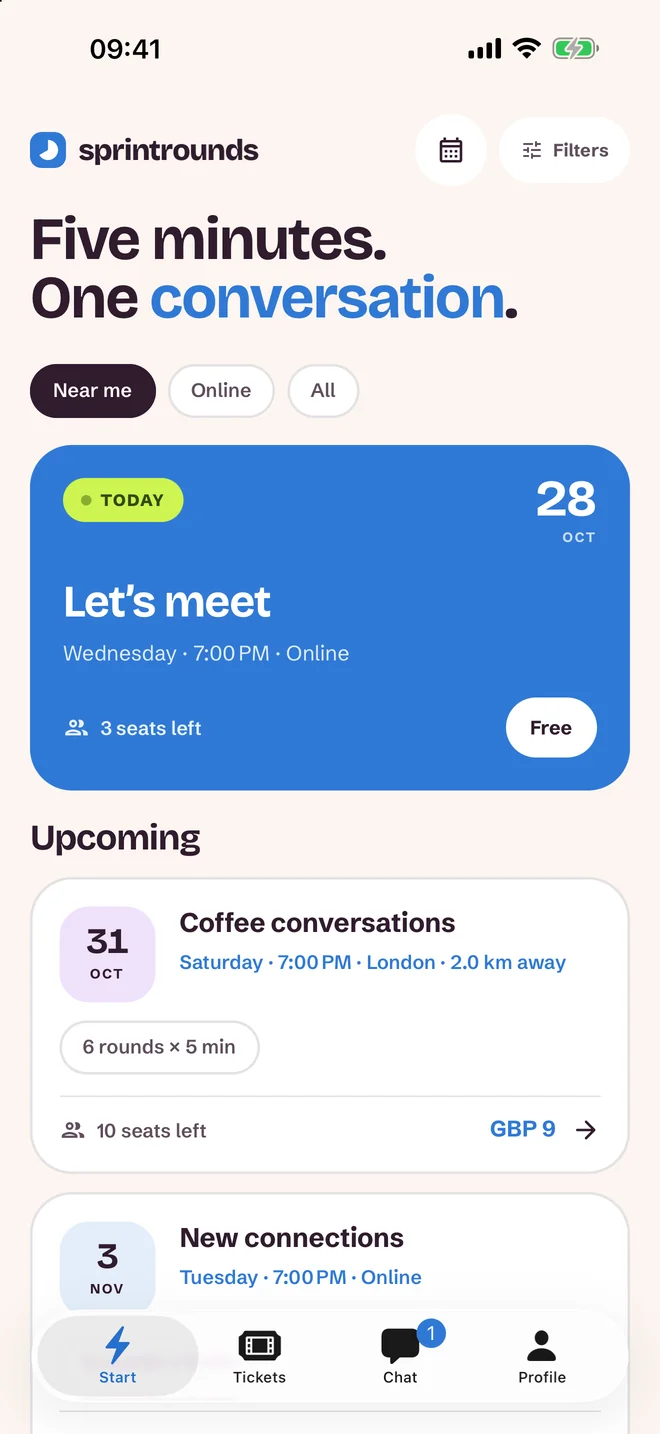
You pick the evening
Themed events in your city and online. You see the open seats before you buy a ticket.
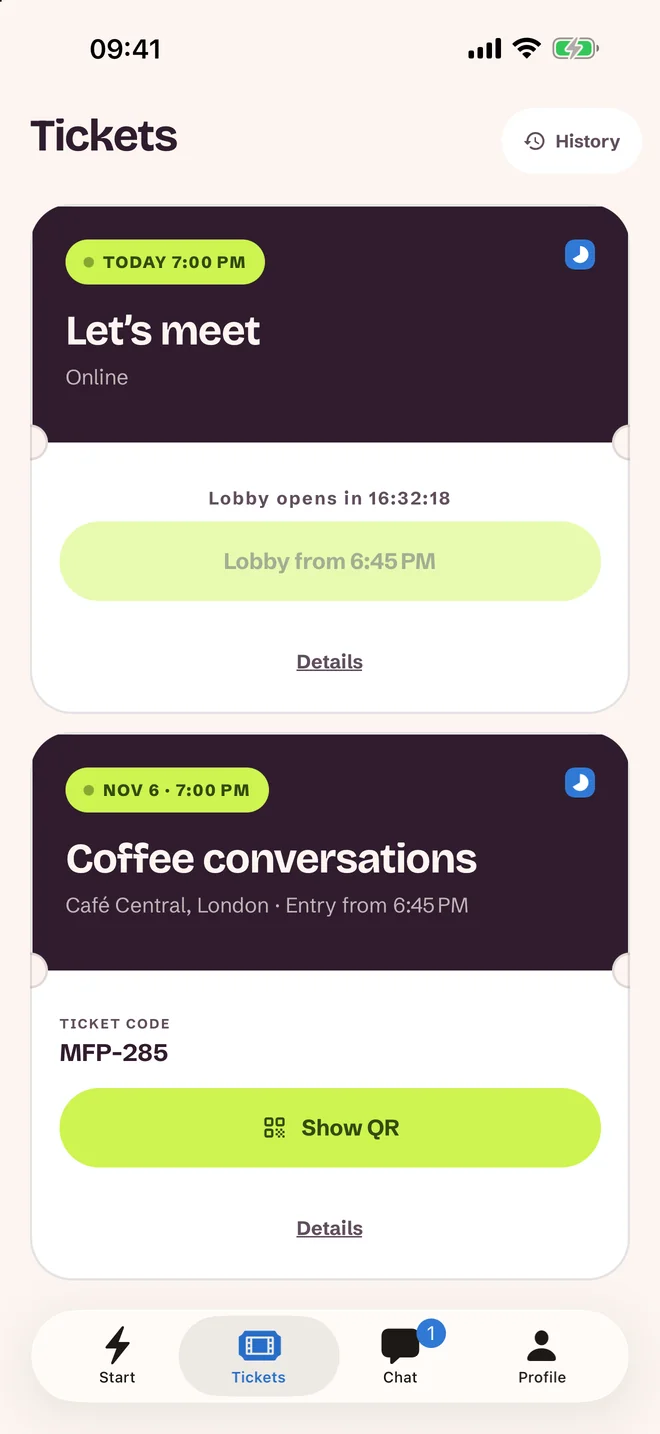
A ticket like to a concert
One ticket covers the evening. An event may be postponed or cancelled if its minimum requirements are not met; cancellation and refund terms apply.
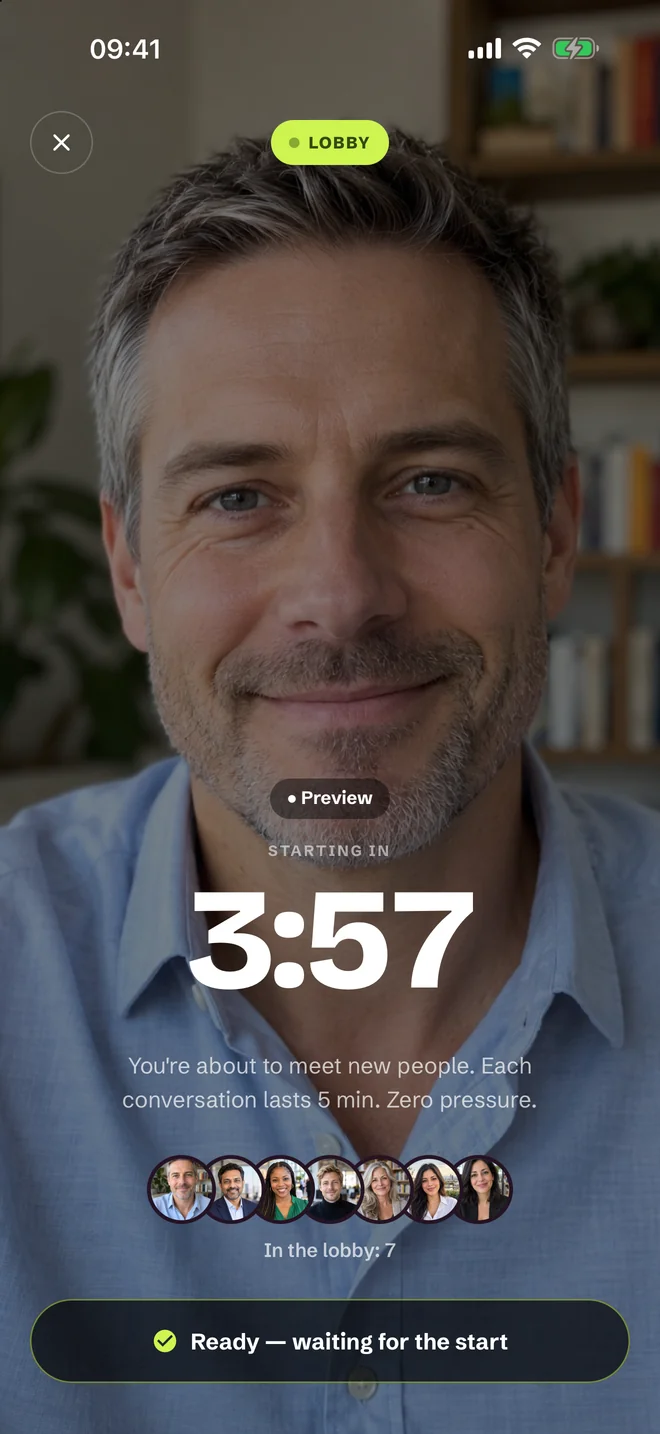
Lobby before the start
A countdown, a preview of your own camera and microphone. You enter exactly when everything's working.
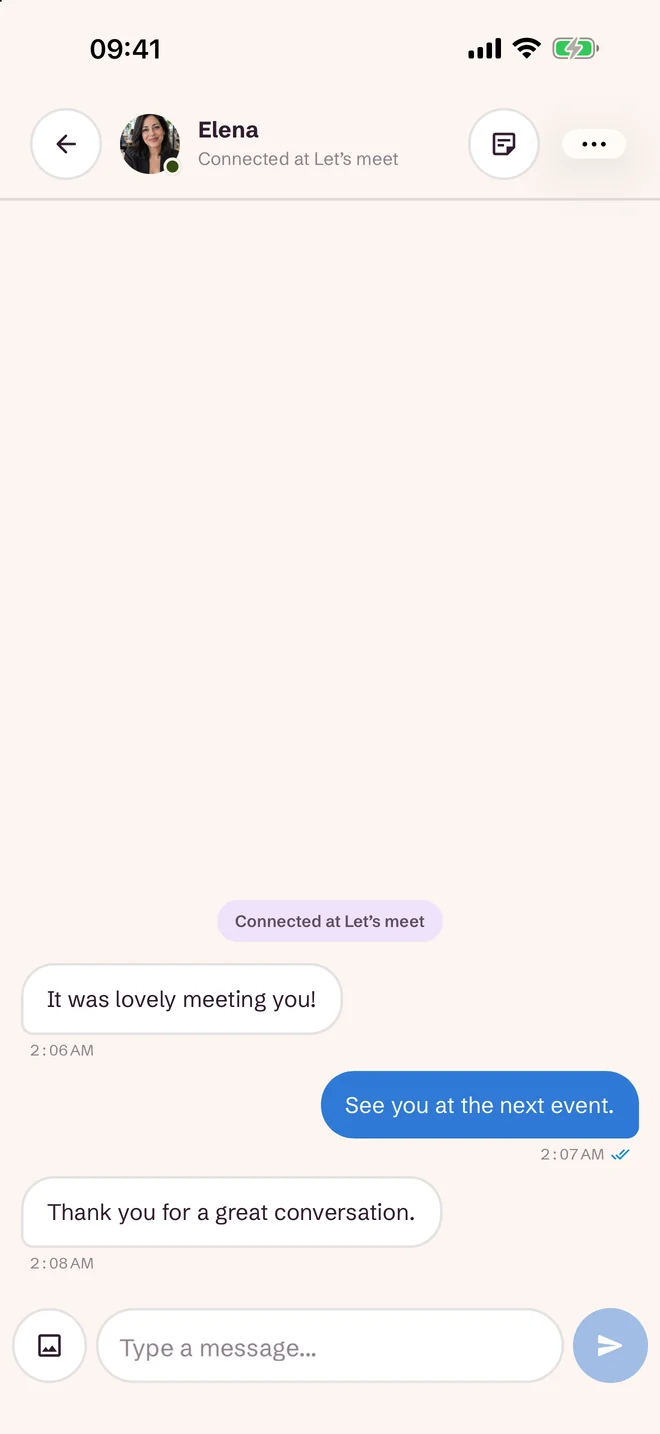
Chat only after a mutual “yes”
No stranger messages first. A conversation that clicked carries on after the event — and you share your contact card (company, role, LinkedIn) only with the people you choose.
Safety on SprintRounds
Profile badges
A badge can reflect qualifying participation in a video event or an in-person check by an organizer. It is not required before your first event.
Live moderation
A report during a conversation ends it instantly. Zero tolerance.
Chat only after a mutual “yes”
Participant chats open after mutual interest. Organizer and platform support conversations are separate.
FAQ
Questions before your first event
What is SprintRounds?
Speed networking over video. In one evening you have a series of short, live one-on-one conversations with other participants. The organizer sets the theme and audience — for example industry networking, founders and investors, careers or a themed meetup. Participants must be 18 or older.
How much does it cost?
Some events are free. For paid events, you see the ticket price on the event page before you sign up. You pay only for the event you attend — no subscription, no packages. Prices are in the event’s currency; if your card uses another currency, your bank may charge a conversion fee.
How does a round of conversations work?
A few minutes before the start you join the lobby and check your camera and microphone. The system then pairs you with participants one at a time — each one-on-one video conversation lasts a few minutes, and a timer keeps everyone on schedule. After each one you rate it “yes”, “maybe” or “no”; nobody sees your ratings. After the event, a mutual “yes” opens a chat.
Do I need to install the app?
No. You can join in your browser, on a computer or a phone, through the web app — all you need is a camera, a microphone and a stable connection. The mobile app is optional; it’s handy for notifications and event reminders.
Who sees my profile, and how do we exchange contacts?
People paired with you during an event see your profile card: your name, a photo if you add one, and any badge. Your phone number is never shown to other participants. A mutual “yes” opens a private chat and your fuller profile, such as what you do — there you decide which contact details to share. Support conversations also allow profile access, and administrators can access profiles for moderation.
What if someone behaves inappropriately?
You can end and report a conversation. The organizer or platform team reviews reports and can take action against rule-breaking accounts. A verification badge is not a guarantee of identity or conduct.


The next event is just a tap away
Join, reserve your seat and prepare one good question. We'll take care of the rest.